🚀 Top 16 React UI Libraries to Elevate Your Web Development 🚀

As a frontend developer, freelancer, and technical content writer, I specialize in JavaScript, HTML/CSS, and TypeScript, with a focus on web development. I am proficient in frameworks such as React.js, Node.js, Express, Next.js, Material-UI, Bootstrap, and Tailwind CSS. Skilled in developer tools like Git, GitHub, and VS Code, I am enthusiastic about leveraging my skills to deliver innovative solutions in frontend development.
When it comes to building modern web applications with React, choosing the right UI library can significantly enhance your development process and user experience. With a plethora of options available, it can be challenging to identify which libraries best suit your needs. In this blog post, we’ll explore the top 16 React UI libraries that can elevate your web development projects, providing you with a blend of aesthetics, functionality, and ease of use.
1. Material UI
Website: Material UI

Material UI implements Google’s Material Design principles, offering a comprehensive set of components and customization options. It's ideal for building modern web applications with a clean and consistent look.
Key Features:
Extensive component library
Theming support
Responsive design
2. Ant Design
Website: Ant Design

Ant Design is an enterprise-level UI library that provides a polished aesthetic suitable for complex, data-heavy applications. It’s particularly popular in the enterprise sector due to its robust design system.
Key Features:
Comprehensive component set
Internationalization support
Customizable themes
3. React Bootstrap
Website: React Bootstrap

React Bootstrap brings the popular Bootstrap framework to React, providing familiar components that are perfect for responsive web designs. It allows developers to leverage Bootstrap’s grid system and styling capabilities.
Key Features:
Familiar Bootstrap components
Built-in responsiveness
Easy integration with existing Bootstrap projects
4. Chakra UI
Website: Chakra UI

Chakra UI is a simple, modular, and accessible component library that promotes fast development of clean UIs. It’s great for developers looking for flexibility without sacrificing accessibility.
Key Features:
Modular components
Customizable styles
Built-in accessibility features
5. Mantine
Website: Mantine

Mantine is packed with features like hooks and responsive components, making it ideal for building modern, full-featured applications quickly. Its focus on usability and developer experience sets it apart.
Key Features:
Rich set of components
Hooks for enhanced functionality
Dark theme support
6. ShadCN UI
Website: ShadCN UI

ShadCN UI is radically customizable with easy theming options, perfect for developers who need full design control. It allows for creating tailored UIs without much hassle.
Key Features:
High customization level
Lightweight components
Easy theming capabilities
7. Blueprint
Website: Blueprint

Blueprint is designed specifically for data-dense interfaces, making it excellent for dashboards and business applications that require robust, reusable components.
Key Features:
Data-centric components
Comprehensive documentation
Accessibility-focused design
8. PrimeReact
Website: PrimeReact
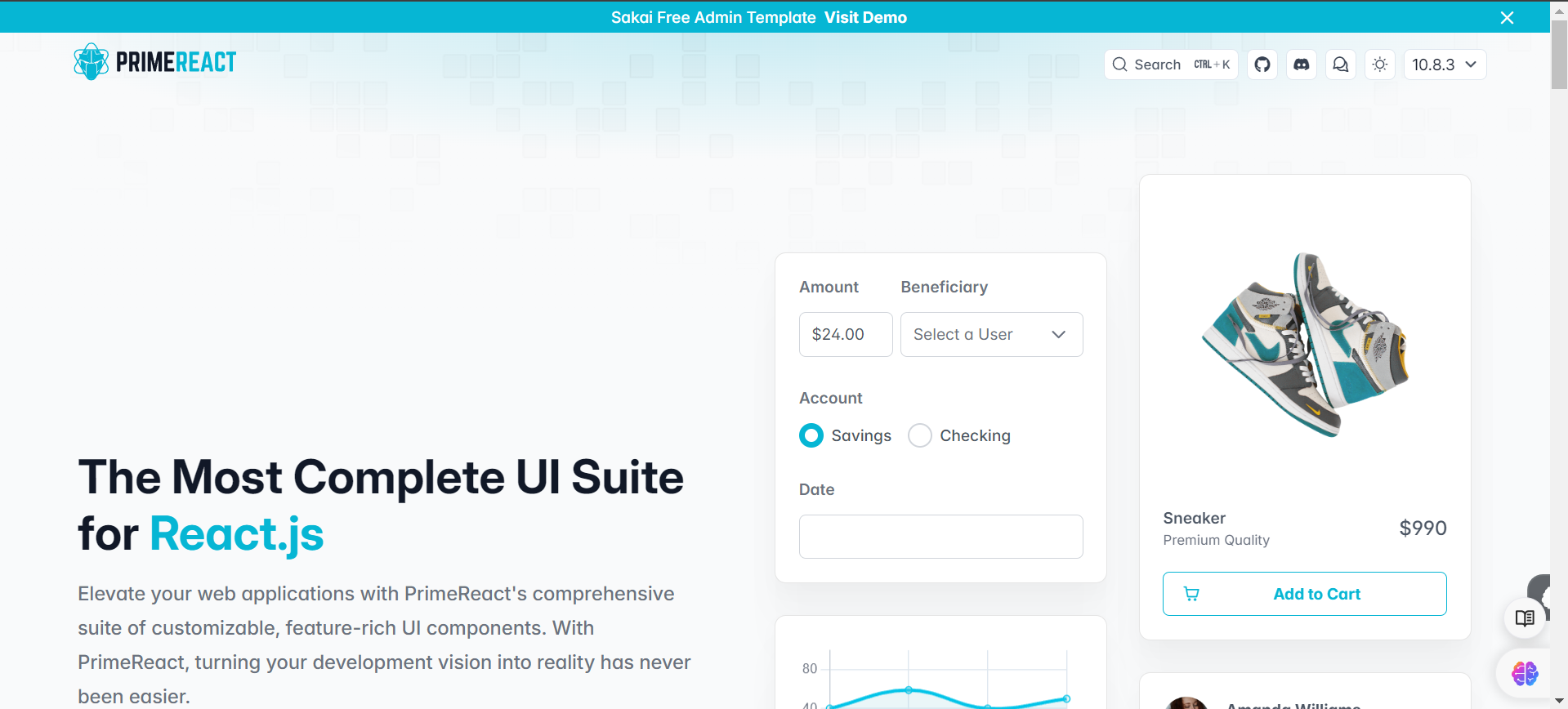
PrimeReact offers over 80 feature-rich components including advanced features like data grids and charts, making it great for rapid development of complex applications.
Key Features:
Extensive component library
Rich data visualization options
Theming support
9. Carbon Design System
Website: Carbon Design

IBM’s open-source design system focuses on consistency and accessibility, making it ideal for enterprise-scale applications that require a cohesive user experience.
Key Features:
Comprehensive design guidelines
Accessibility-first approach
Modular components
10. Fluent UI
Website: Fluent UI

Fluent UI is Microsoft’s official library for creating sleek, modern web apps. It provides a consistent look and feel across all Microsoft products.
Key Features:
Consistent design language
Cross-platform compatibility
Theming support
11. NextUI
Website: NextUI

NextUI is a fast and beautiful UI library focusing on providing lightweight, responsive components that enhance user experience without compromising performance.
Key Features:
Lightweight components
Fast rendering performance
Easy-to-use API
12. Radix UI
Website: Radix UI

Radix UI provides unstyled, accessible components that offer full design flexibility for developers looking to create their own design systems without predefined styles.
Key Features:
Unstyled components for flexibility
Accessibility-focused design
Composable architecture
13. Evergreen
Website: Evergreen

Evergreen is a robust framework designed for building complex web applications with pre-built components like tables, dialogs, and more.
Key Features:
Pre-built complex components
Responsive design principles
Customizable themes
14. React Spectrum
Website: React Spectrum

Adobe’s comprehensive solution for building scalable, accessible applications provides a rich set of features designed to enhance user experience across platforms.
Key Features:
Accessibility-first approach
Component-based architecture
Cross-platform compatibility
15. Elastic UI
Website: Elastic UI

Elastic UI is tailored for complex, data-driven applications, making it perfect for analytics dashboards and enterprise tools that require robust functionality.
Key Features:
Data visualization tools
Responsive design elements
Extensive documentation
16. Aceternity UI
Website: Aeternity

Aceternity UI refers to a set of design and development resources offered by the Aceternity web design studio, focusing on creating beautiful, fast, and efficient user interfaces. They provide components built with technologies like Tailwind CSS and Framer Motion, specifically for Next.js and TypeScript environments.
Conclusion
Choosing the right React UI library can significantly impact your development efficiency and the overall quality of your application’s user interface. Each of the libraries mentioned above offers unique features tailored to different project needs—whether you’re building enterprise-level applications or simple personal projects.
Explore these libraries further to find the one that best fits your workflow and project requirements! Happy coding! 🚀


